 Courier call
 Create a shipment
 Find a branch
 Shipping cost




Updates to the My Nova Post interface
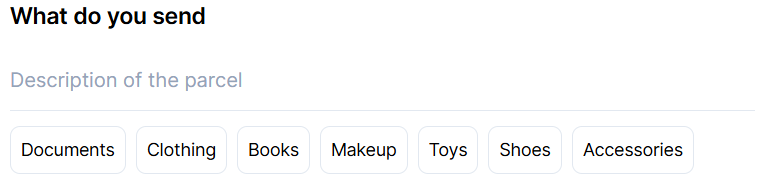
📝 Quickly fill in the shipment description. The shipment creation frame has been updated, allowing you to fill in the shipment description with a single click. Currently, the list of options is fixed, but we are working on developing custom versions that each individual customer can fill in according to their requests.
🖨️ Mass printing for pickup requests. We added the option to print labels, waybills, or shipping invoices attached to pickup requests in just two clicks.

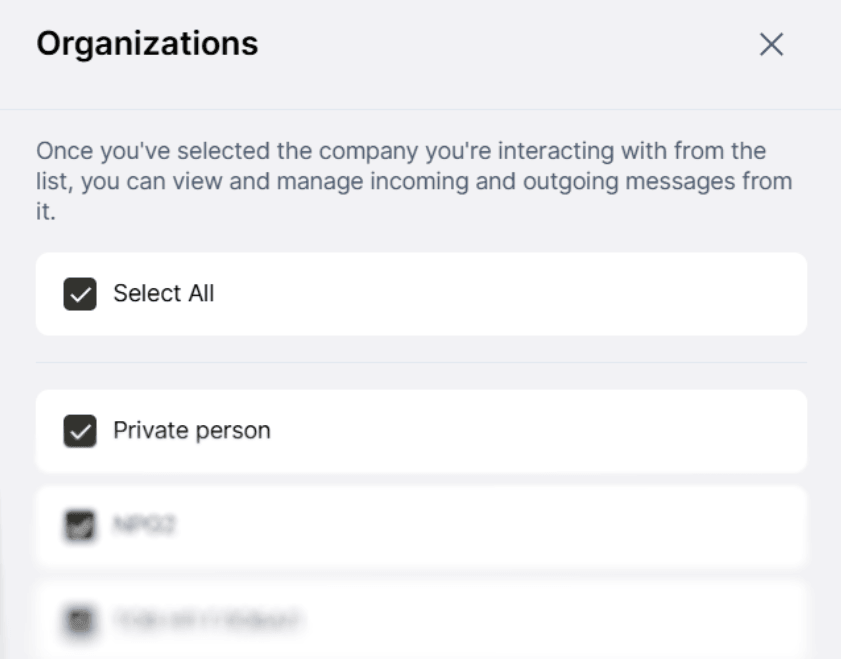
✅ Default display of all organizations. Previously, new users often encountered difficulties searching for shipments created on behalf of legal entities. With the new release, this issue has been resolved, and users will now see shipments from legal entities by default.
📋 Increased number of shipments displayed. From now on, My Nova Post will display 20 shipments by default instead of 5. This decision was made in response to issues encountered by customers: we periodically received reports that customers had created many shipments, but only some of them were displayed. Now, a larger number of shipments and the availability of a scroll bar will indicate the completeness of the list and lead the customer to the navigation buttons between the pages of the shipment table.
💵 Improvements to the COD service in the business account. As part of the development of the COD service functionality, a number of improvements have been made available in the business account. Thus, in the shipment creation frame, you can order the service not only when sending from branches, but also for courier calls. In addition, a Cash on delivery column has appeared in the shipment table, which displays the COD amount specified by the customer when ordering the service.
⤴️ Redirection of shipments by the C-consignee. In the My Nova Post account, the C-recipient can now order free redirection of the shipment. Redirection is only valid for deliveries to our own branches or using our own courier service. Important: only the C-recipient can initiate redirection in the current implementation. The sender can be either a business or an individual.