


- Send to Ukraine
- Receive from Ukraine
- Send to other countries
- Receive deliveries from other countries
- Send from the pickup point
- Payment of customs duties
- Delivery cost to other countries
 The nearest branch
 Calculate customs duties
 Delivery terms
 Packaging
 Allowed products
- Price calculator
 Create a shipment
You can easily and quickly receive parcels in Poland from Ukraine thanks to Nova Post
- by courier to certain location
- at the Nova Post branch
- in Parcel Lockers Paczkomat
Who pays for
- Shipping cost
Sender in Ukraine or recipient in Poland
- Customs duties and customs brokerage services
Once it is sent, we will notify the recipient of the parcel's processing.
The recipient can pay for delivery services from Ukraine. You can find the current parcel delivery rates* in the table below.
* Prices are in Polish zlotys (PLN, including VAT), valid from 09.07.2026
- Documents
60 zł
- Small,
up to 2 kg - Medium,
up to 10 kg - Over 10 kg,
the cost for the next 1 kg
Delivery time
 3+ days
Dimensions of shipments to be received
- up to 30 kg: at the address, branch, or Paczkomat device
- 30,01 – 1 000 kg: at the cargo branch or address
.
Payment by the Recipient: Worry-free delivery
This is a handy option allowing the Sender to make an international express shipment and assign the delivery cost to the Recipient.
You, as a Sender, can manage your logistics costs more efficiently by informing and agreeing on the delivery cost with the recipient in advance.
How does it work
- Defining the payer of logistics services: The Sender must inform the Recipient and obtain consent to pay for logistics services in favor of the Nova Post Group of Companies with the currency of the country of receipt.
- Creating a shipment: The Sender shall create a shipment as usual, specifying all the necessary data for an international shipment.
- Selecting a payer: When registering a shipment, choose the “Payment by the Recipient” option.
- Delivery: Your parcel will be delivered to a branch in the country of the NP's presence.
- Payment: The Recipient shall pay all delivery-related costs in the mobile app or at the branch upon receipt of the parcel.
- Pickup: The Recipient can pick up the parcel at the NP branch.
FAQs
- How does Payment by the Recipient work
- What are the available payment methods
- Is the service available in all countries
- Is this service suitable for large businesses
- Why this service is not available for Business Sender

Customs payments for recipients of parcels from abroad

If you are receiving a parcel from a country outside the EU, customs duty accrual rules will apply.
- Orders from online storesup to €150
- Fixed duty: €3 per unique HS code in the invoice
- VAT: 23% of the customs value
- Orders from online storesover €150
- Personal shipment from abroad
- What is "customs value" and "invoiced value"
- Customs duty calculation examples
The customs authority has the right not to release the shipment or to amend the amount of the customs payments
This can happen if a customs officer detects a violation:
- The contents of the shipment differ from the list specified in the declaration
- The invoiced value differs from the real value
- The parcel contains goods not accepted for transportation
Payment of accrued customs duties
Payment of customs duties is mandatory for receiving the parcel. Customs duties are paid by the recipient.
- Orders from online stores outside the EU
If the seller is registered in the IOSS system, customs duties may be calculated and paid at the time of ordering.
Otherwise, customs duties will be accrued at the customs office in the destination country. Payment of customs duties is mandatory for receiving the parcel.
- Personal shipment from abroad
Once customs duties have been accrued by the customs office, we will notify the recipient and send a payment link via:
- The mobile app
- SMS notification
- Email
Methods of paying customs duties
Depending on the delivery method, different payment options may be available.
 The mobile app
 Via the link
 When receiving the parcel
Customs duties can be paid via the additional link (available for all locations) and to the courier by card or in cash upon receipt in the following cities: Warsaw, Gdansk, Gdynia, Lodz
How to receive
At the Nova Post branch
- Get an SMS message about the parcel delivery.
- Visit the specified branch with the original identity documents and the International Express Waybill (IEW) number.
- Provide the operator with the express waybill number and documents.
- Pay the customs duty if it was charged.
- Receive the parcel and a copy of the IEW to confirm receipt.
You are entitled to inspect and weigh the parcel at the branch. Shipment inspection rules can be found here.
By courier to the address
- Receive an SMS or email from InPost with information about the date and time of delivery.
- Have your identity documents.
You can receive a parcel up to 50 kg by courier service
- Weight: up to 50 kg
- Width, height, and length not exceeding 150 cm
Additional 100 ₴ must be paid to the rate for courier delivery.
In the Paczkomat device
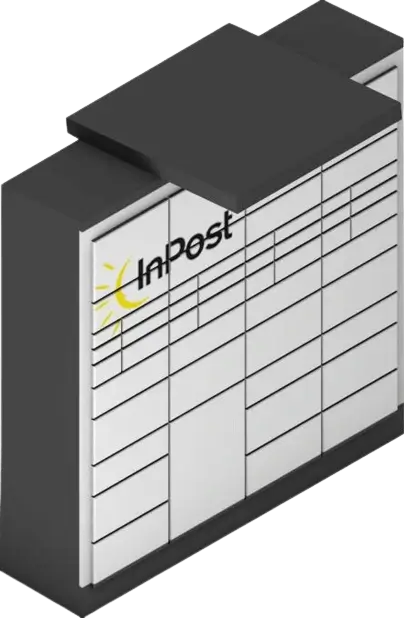
You can receive parcels up to 25 kg through the Paczkomat device
Acceptable locker dimensions:
- locker А — 64 × 38 × 8 cm
- locker B — 64 × 38 × 19 cm
- locker C — 64 × 38 × 41 cm
Once the parcel is at the parcel locker, you will be notified of the parcel locker address and the code to open it.
If you have the Inbox mobile app installed, you will receive a push notification with a QR code to open the locker.
How to open the parcel locker:
- Scan the QR code with the parcel locker scanner.
- If there is no QR code, enter the unlock code from the SMS on the parcel locker screen.
- When the locker opens, pick up the parcel and close the locker.