


 The nearest branch
 Calculate customs duties
 Delivery terms
 Packaging
 Create a shipment
 Allowed products
Buyer-initiated post-delivery returns
Automate the return process when a buyer wishes to return goods partially or in full after receiving them.
The service will allow you to accept returns from buyers in the manner of your choice:
- Independent return processing in accordance with the seller's terms and conditions and the requirements of applicable law, without involving the seller in the return delivery process.
- Return processing by the seller via the Nova Post API upon request from the buyer.
You specify which return methods will be available to your customers when you activate the service.
 Local shipments within Poland
 Shipments within Europe
 Shipments from Ukraine
Advantages of returns for e-commerce
 You set the return periodDefine a single return period for all shipments
 Single return address for all shipmentsParcel is returned to the specified address, regardless of the sender’s address
 No double customs clearanceWe handle all customs paperwork
 Fast return deliveryfrom 1 day for local returns, from 3 days for returns from Ukraine
 Fully automatedNo need to manually process requests from buyers
Advantages of returns for the buyer
 Partial or full returns
- Registration in a familiar application*
- No label printing required
* Buyers in Ukraine can also arrange a return at any branch if the seller allows independent return processing.
How does it work
- The buyer arranges the return independently.

- You issue a return invoice for the buyer.
Methods of sending returns by the recipient
From the recipient in Europe
- From the branch
- From the address
- From point
 Returns can only be sent from Nova Post offices. Partner offices do not accept returns for shipment.
From the recipient in Ukraine
- From the branch
Shipping from post offices and points in Ukraine is not available.
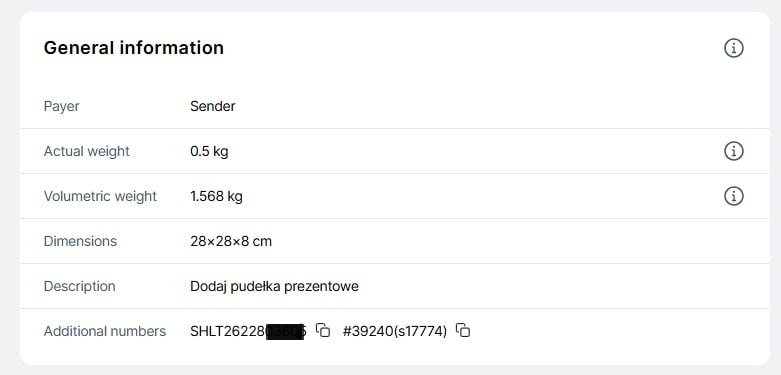
Return tracking
You’ll always know exactly which order is being returned.
Delivery status and return updates are available in:
- Nova Post’s tracking service
- Business customer account
- Via API
How to get started
Return services are available to all Nova Post business customers with an active service agreement.
To set up return conditions:
- Submit a request to enable the service by contacting your account manager or sales team:
- Agree on key service parameters:
- Rates,
- Storage periods,
- Return periods,
- Return address.
- Once confirmed, the service will be activated for all parcels sent after the confirmation.
How to initiate a return as a buyer
The seller determines the methods of return available to the buyer.
- In any branch *only for recipients in Ukraine
- Inform the operator of your desire to send an international return and provide the number of the original parcel.
- The operator will process the return and provide shipping documents.
- Contact the seller
- Via the app

Cost
- Across Polandfrom 20 zł
- Across Europefrom 40 zł
- From Ukrainefrom 20 zł
The cost depends on parcel weight and dimensions.
For detailed rates, contact your account manager or sales team:
Return delivery fees are charged to the sender
Additional services


Frequently asked questions
- What types of returns are available for businesses?
- Which shipment types are eligible for return services?
- Do I need to manually initiate each return?
- Can I change the return address?
- Can I return only part of my parcel?
- Should the buyer print or label anything?
- Should the buyer sign the documents for the return?